











Hello, your privacy is important to us. Uniview websites use cookies to store info on your device and create the most secure and effective website . By continuing to use our websites, please accept the cookies could be stored on your device, which outlined our cookie policy and privacy policy .






_1036463_651984_0.png)





 X
X
 GLOBAL / ENGLISH


Full color night vision keeps a camera's nighttime image in color by collecting more available light and, when necessary, adding visible illumination. In Uniview's current product naming, this capability is delivered through UNV Wise-ISP Nightview Technology. Full Color Night Vision Technology remains a common industry term, so the two terms can be used together when discussing Uniview cameras. It can help a facility operator distinguish a vehicle's color, a painted doorway, or the condition of a loading bay after dark. It cannot create useful color detail from a scene with no usable light without some form of supplemental lighting. The practical question is therefore not simply whether a camera advertises color at night. It is whether the installed camera delivers usable detail at the darkest point in the actual scene, without excessive glare, motion blur, or intrusive illumination.
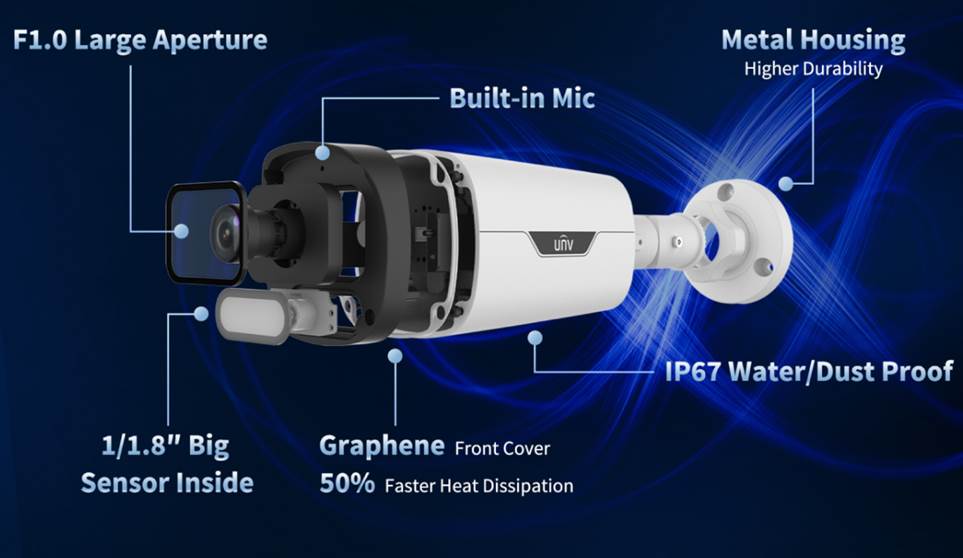
l Full color is the result of an imaging chain: available light, lens aperture, sensor, UNV Wise-ISP Nightview Technology, and sometimes warm supplemental light.
l A low-light specification is measured under stated laboratory conditions; check movement, scene contrast, and lighting on site before accepting a camera.
l Specify where color is operationally useful. An entrance with headlights, a dark fence line, and a uniformly lit corridor pose different imaging problems.
l Test a short recorded clip at the intended mounting position, not just a still image on a product page.
A conventional infrared night camera can produce a clear monochrome image when its IR illumination reaches the scene, but reflected infrared does not preserve visible colors. A full color system instead needs enough visible light for its sensor to record color information. Street lighting, building lights, or an integrated warm illuminator can supply that light. The camera then processes the signal to balance noise, color, contrast, and exposure.
Three parts of the chain matter together. A wide aperture admits more light; a larger sensor can gather more photons for a given exposure; and image processing can reduce noise while trying to preserve edges and color. None is independent of the exposure time. A scene that looks bright in a still frame may render a moving delivery vehicle as a smear if the shutter remains open too long. For a fuller explanation of the low-light imaging modes, see Uniview's article on how a night vision camera works in low light.
An F1.0 lens is relevant because its large aperture helps pass light to the sensor. It does not guarantee a particular result at every mounting height or distance. The stated minimum illumination of a camera is measured with defined gain and aperture conditions. In the field, the useful question is whether the moving subject retains enough detail at the actual light level and camera angle. A specification such as 0.0003 lux, even when accurately quoted, is not a promise of the same readable image in a completely dark yard.
Where ambient light falls below what the camera needs, warm light can support color imaging. That intervention has costs: it is visible to occupants, can reflect from close walls or rain, and can be objectionable near neighboring properties or sleeping areas. Decide during design whether the lighting is acceptable, where it should point, and whether it needs an automatic schedule or manual override. Do not treat a nominal illuminator distance as the distance at which every operational detail will be legible.
Noise reduction and image signal processing can make low-light footage easier to interpret, particularly in scenes with mixed light sources. UNV Wise-ISP Nightview Technology is Uniview's current technology name for this full-color night imaging approach. Aggressive processing may also smooth small details; high gain can amplify noise; a slow shutter can hide motion behind a brighter-looking frame. Compare moving video at normal playback speed and inspect individual frames only afterward. A project acceptance test should still use the camera and settings proposed for that site.
Color is most useful when it answers a question that monochrome footage leaves open. At a loading bay, staff may need to tell which colored door was open or whether a vehicle stopped in the marked lane. In a car park, color can distinguish an object from a similarly shaped background. On a small commercial site, it may help an operator match a recorded event to a location described in a maintenance report. These are operational examples, not guarantees of identification or a substitute for adequate resolution and field of view.
The following comparison helps define the recording objective before equipment selection.
Scene | Useful color evidence | Design risk to test |
Entrance with internal lighting and bright exterior | Door state, painted zones, vehicle color | Backlight and headlight flare can overwhelm the subject |
Covered loading bay | Equipment position and marked traffic lanes | A dark foreground may force a slow exposure |
Perimeter with no fixed lighting | Color only if visible supplemental light is acceptable | Warm light may not reach the farthest target and may cause glare |
Indoor corridor with stable lighting | Consistent colors across adjoining cameras | Mixed lamp color temperatures can shift appearance |
If the requirement is merely to notice movement over an unlit area, a monochrome IR view may be more appropriate. If color is essential but visible camera light is unacceptable, evaluate the site's fixed lighting first. Sometimes improving a badly placed luminaire produces a more reliable outcome than changing cameras. The camera choice should follow the evidence needed, the available light, and the restrictions on supplemental light.
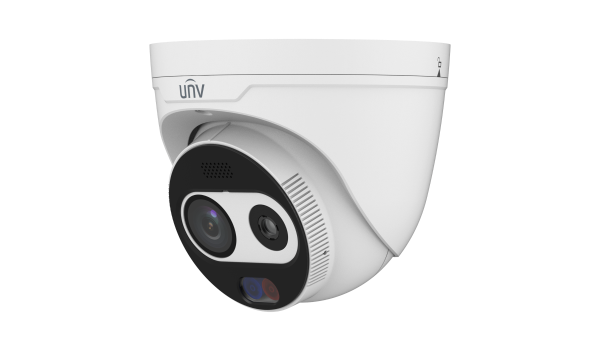
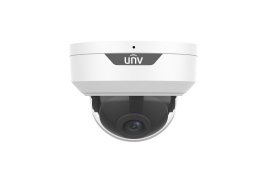
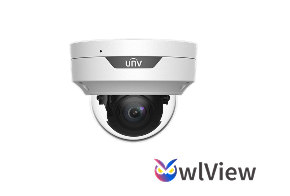
Two Uniview Owlview Series options illustrate how to turn specifications into an installation plan. The IPC3524LE-ADF28K-WP2 4 MP dome camera lists a 1/1.8-inch CMOS sensor, F1.0 fixed lens, Wise-ISP, and 120 dB true WDR. Its listed warm-light reach is up to 30 m; it supports a microSD card up to 512 GB, PoE, IP67, and IK10. The 2.8 mm model is the one linked here; the same page also lists a 4.0 mm variant. Confirm the ordered suffix before assuming a field of view.
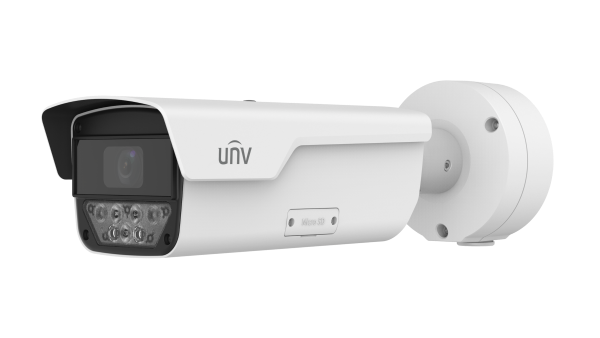
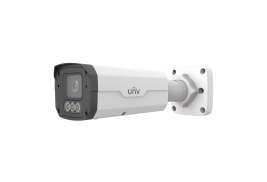
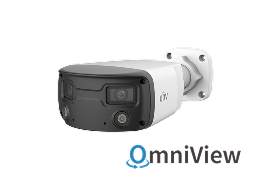
The IPC2314LE-ADF28KM-WP2 4 MP bullet camera is another Owlview Series option. It lists the same sensor class, F1.0 aperture, Wise-ISP, 120 dB WDR, up to 30 m warm-light distance, up to 512 GB microSD support, PoE, and IP67.
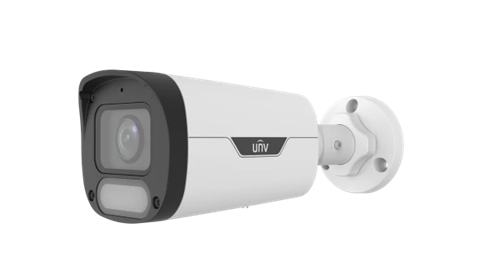
Unlike the dome page, this bullet page does not list IK10 protection; do not carry a dome rating over to it. Both product pages list 0.0003 lux color minimum illumination at F1.0 with AGC on. That is a specified measurement condition, not a field-verified viewing distance.
For the linked 2.8 mm versions, both pages list a horizontal field of view of 117.7 degrees. A broad view may cover an entrance, but the target can occupy too few pixels if the camera is mounted far away. Mark the nearest and farthest points where useful detail is required, then test them with the actual lens variant. Do not infer that the 30 m warm-light specification makes a distant object equally clear across the entire wide image. Lighting reach, focus, target size, and recorded pixel detail are separate checks.
The enclosure also matters. A dome may suit a location where the stated IK10 rating is required, provided its cover stays clean and free of reflections from nearby lights. A bullet form can make aiming and a visible mounting direction more straightforward in some layouts, but the weather exposure and fastening still need a site-specific check. Avoid mounting either model so its warm light shines into a close soffit, a reflective sign, or a window. At night, those near surfaces can dominate the camera's exposure while the area of interest remains dark.
The presence of a microSD slot is useful for local recording, but card capacity alone does not establish retention time. Frame rate, encoding, resolution, bitrate, motion, and recording schedule all affect storage consumption. If an NVR is part of the design, confirm channel compatibility, recording settings, network power budget, and how footage will be retrieved after a network interruption. Record a representative night shift and calculate retention from its actual bitrate rather than a generic calculator setting. The product pages list Ultra 265, H.265, and H.264 options; select the encoding that the complete recording system supports.
An integrator can prepare a simple test route before fixing every mounting position. Use the darkest expected operating condition, then repeat with typical lights on and with vehicle headlights or a bright doorway in frame. Place a moving subject or object at the near edge, center, and far edge of the required coverage. Review exported video at the same resolution and compression intended for handover. A screen capture from a live preview is not enough to validate the recorded result.
1. Record the light level and note which fixtures, signs, or neighboring lights were on. Document whether the camera's warm light activated.
2. Check a moving subject at realistic speed. Look for blur, color shifts, and noise reduction that removes edges needed for the intended task.
3. Repeat with backlighting. Compare the doorway, foreground, and bright region rather than judging only the most attractive part of the frame.
4. Look for reflections from rain, glass, metal cladding, the camera cover, and insects close to the illuminator. Adjust aim or mounting position before increasing image gain.
5. Export the footage from the planned recorder. Confirm timestamps, playback, storage behavior, and the operator's ability to locate an event.
If the footage passes only with maximum gain or an unusually slow shutter, note that dependency. Ask for a test in the season or lighting configuration that represents the real site. Tree growth, changed signage, and a new luminaire can alter the scene later, so schedule periodic night checks after installation. Keep a baseline clip and the camera configuration with the handover record; they make future troubleshooting more objective.
Full color night vision can add useful context to recorded events, but color alone is not an acceptance criterion. For Uniview projects, evaluate UNV Wise-ISP Nightview Technology in the actual nighttime conditions, then choose the appropriate camera from the Owlview Series after checking the area and detail that must be visible, the available and permitted light, the lens and enclosure, and the recording configuration. For a commercial project, share the site plan, mounting heights, darkest-scene sample, lighting constraints, desired retention period, and the exact model suffix with a Uniview product partner. Require a short on-site acceptance clip before final sign-off.
Q1: Does full color night vision work in complete darkness?
No. Full color night vision requires available light or supplemental illumination to capture color details. UNV Wise-ISP Nightview Technology can process the available signal, but it cannot create color detail where no usable light reaches the sensor.
Q2: Is a lower lux rating always better for nighttime cameras?
Not always. Real performance also depends on the lens, sensor, lighting conditions, movement, and installation environment.
Q3: When should I choose full color night vision over infrared night vision?
Choose full color night vision, supported in Uniview cameras by UNV Wise-ISP Nightview Technology, when color information helps explain an event, such as vehicle colors, doors, or equipment status. For simple motion detection, infrared may be sufficient.
2026-10-13
Topic:
2026-10-13
Topic:
2026-09-28
Topic:


