










Hello, your privacy is important to us. Uniview websites use cookies to store info on your device and create the most secure and effective website . By continuing to use our websites, please accept the cookies could be stored on your device, which outlined our cookie policy and privacy policy .






_1036463_651984_0.png)





 X
X
 GLOBAL / ENGLISH


Warehouse security has moved beyond basic event recording. A modern warehouse may include loading docks, side gates, staff entrances, long aisles, outdoor storage, and high-value inventory zones. Each area has different risk points, lighting conditions, and response needs.
A smart motion sensor camera helps you build an active defense line by combining accurate event detection, clear night images, local sound and light warning, and useful event records. For warehouse operators, the goal is simple: reduce false alarms, react earlier, and make daily security work easier for staff who already have enough to handle.
Warehouse security planning should start with the way goods move. Forklifts, trucks, temporary workers, pallets, and after-hours access all create pressure on your system. A camera that only records footage may help after an event, but it does not help enough during the event.
After business hours, a warehouse usually has fewer staff on site. Side doors, small yards, and loading areas become more sensitive. A smart motion sensor camera should detect meaningful movement near these areas and trigger a clear warning before the incident moves deeper into the site.
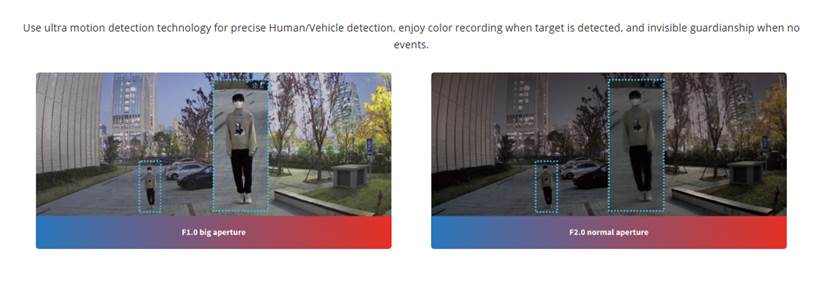
Loading docks are hard to cover because vehicle lights, rain, shadows, and fast movement may all affect image quality. A strong warehouse camera should keep useful detail in high-contrast scenes, especially when trucks arrive at night or bright lights point toward the lens.
Many losses become costly because the first alert comes too late. When a device can detect, warn, and record at the same point, your team can make a faster decision. This is the real value of an active defense line. It is not only about a better image; it is about a shorter response path.
A warehouse camera should not treat every moving object as a serious event. Too many false alarms will make staff ignore the system. Useful detection depends on target type, lighting, audio warning, and storage design.
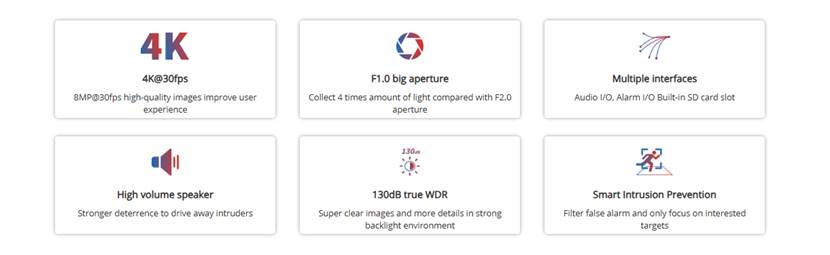
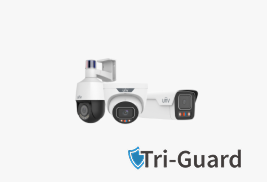
The Tri-Guard technology combines Smart Intrusion Prevention, ColorHunter, and Active Deterrence into one camera system. For warehouse use, this matters because target classification can reduce alarms caused by leaves, birds, and lighting changes. It helps the system focus on person, vehicle, and non-motor vehicle targets rather than random background movement.
Night detail is important around dock doors, perimeter gates, and outdoor storage. ColorHunter with Wise ISP supports full-color images in low-light environments. Color detail helps staff judge clothing color, vehicle color, package shape, and movement direction. In daily security work, those details are not decoration. They are evidence for a faster decision.
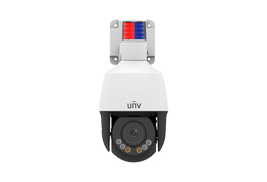
A smart motion sensor camera should not stay silent when a risk enters a protected area. Active deterrence adds local warning through light and audio. Tri-Guard 2.0 upgrades to red and blue light alerting, which is more noticeable than white flashing light in low visibility weather such as rain and fog. It also uses a high-power 3W speaker for stronger warning effect.
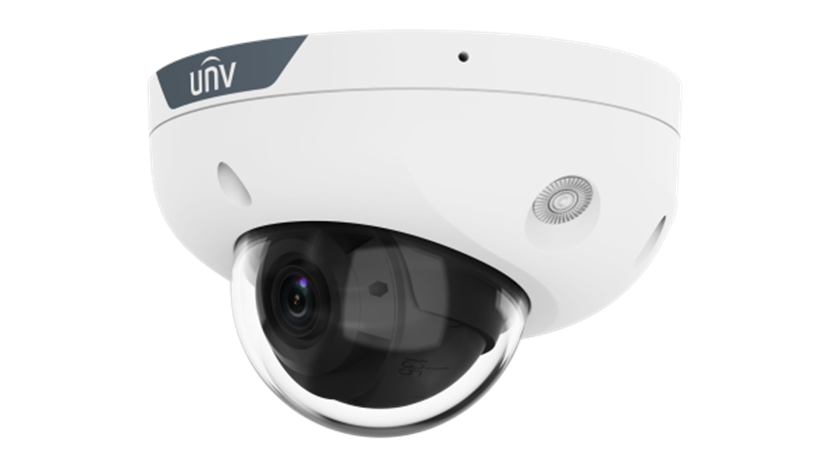
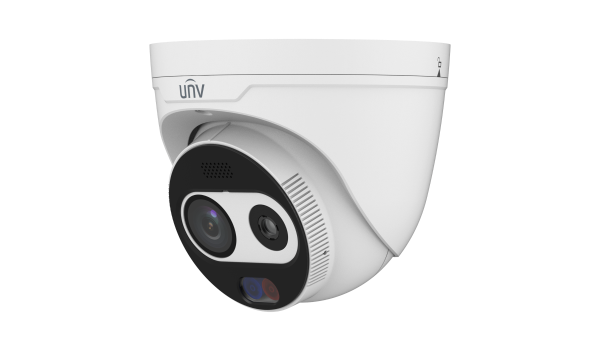
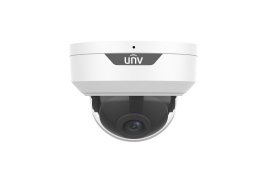
For a warehouse project, the device must match real spaces, not only a specification sheet. The IPC314SB-ADF28KMC-DL-I1 is a 4MP Dual-light WDR Mini Dome Network Camera designed for clear imaging, event rules, local audio, and rugged installation.
Entrances and loading bays need a camera that handles light contrast well. This model supports 130dB true WDR, which helps keep details clearer in strong backlight scenes. For truck lanes, door openings, and mixed indoor-outdoor light, that number is not just technical wording. It affects whether staff can see usable detail during review.
For side gates, fence-side doors, and outdoor passages, intelligent perimeter protection supports cross line detection, intrusion detection, enter area detection, and leave area detection. These rules help you build a clear boundary. You can treat a closed side gate at midnight differently from a busy dock at 3 p.m., which is how a warehouse system should work.
Long aisles are common in warehouses, and they are not easy to cover with standard horizontal framing. This camera supports 9:16 Corridor Mode, making it more suitable for narrow passages, storage rows, and high-value inventory corridors. It also supports built-in dual microphones and a speaker, so local event response becomes more direct.
Feature | Official Data | Warehouse Value |
Max Resolution | 4MP | Clearer detail for entrances and aisles |
Sensor | 1/2.9" CMOS | Better image base for mixed lighting |
WDR | 130dB | More usable detail near dock doors |
IR Distance | 30m / 98.4ft | Night coverage for indoor or outdoor areas |
Warm Light Distance | 30m / 98.4ft | Color detail when warning light is needed |
Edge Storage | Up to 512GB MicroSD | Local backup for key event clips |
Protection | IP67, IK10 | Better fit for tough warehouse spots |
A good layout does not mean placing the same camera everywhere. You need layers. Each layer should answer one warehouse concern: entry, movement, risk area, and event review.
Start from the outside and move inward. Place active warning devices at perimeter doors, vehicle gates, and loading docks. Use corridor-friendly coverage in long aisles. For high-value zones, use area entry and leave rules. This creates a chain of evidence from the first entry point to the goods area.
Rules should match time and location. During working hours, a loading dock is active and should not create too many alarms. After hours, the same dock may need stronger rules. For side doors, cross line detection and enter area detection are often more useful than basic motion detection.
The device supports Ultra 265, H.265, H.264, and MJPEG. Efficient compression helps reduce bandwidth and storage pressure. In real warehouse management, this matters because event review should be quick. Staff should find the right clip without searching through hours of low-value footage.
A smart motion sensor camera is one part of a larger system. Buyers should also check service needs, industry fit, and channel support before starting a warehouse upgrade.
The official technology resources show a wide set of imaging and intelligent event technologies, including Tri-Guard 2.0, ColorHunter, Smart Noise Reduction, MultiView, and other product capabilities. For warehouse buyers, this means the product line is not built around one feature only.
The official industry solution section lists Warehouse and Logistics as a dedicated application area. This is useful for system integrators and warehouse operators because device selection can be tied to real zones such as docks, gates, aisles, and storage areas.
For distributors and project partners, the dealer partner program includes channel support, product portfolio strategy, marketing support, training, technical support, project registration, and profit protection. These details matter when a warehouse project needs stable supply, local service, and repeatable installation methods.
A warehouse security upgrade works best when product features match your site risks.
For critical warehouse points, Tri-Guard is the recommended active defense technology because it links detection, full-color low-light imaging, and sound-light warning. It is especially suitable for warehouse gates, dock doors, outdoor passages, and after-hours protected zones.
The IPC314SB-ADF28KMC-DL-I1 is a strong fit where you need 4MP detail, 130dB WDR, dual-light support, built-in audio, corridor mode, IP67 weather protection, and IK10 impact resistance. It may not replace every camera in a warehouse, but it is a practical node for high-risk points.
Before purchase, prepare your warehouse layout, entry count, dock count, lighting condition, storage area priority, event rule needs, and review workflow. A simple table helps the project team decide faster.
Warehouse Area | Main Concern | Recommended Function |
Main Entrance | After-hours access | Cross line and warning light |
Loading Dock | Strong light and truck activity | 130dB WDR and target classification |
Side Door | Low-traffic entry | Intrusion and enter area detection |
Long Aisle | Narrow coverage | 9:16 Corridor Mode |
Outdoor Storage | Night clarity | Dual light and 30m IR coverage |
Q1: What Is a Smart Motion Sensor Camera for Warehouse Security?
A: It is a camera that detects meaningful movement, applies event rules, records useful video, and may trigger local warning through sound or light. For warehouses, it helps cover entrances, dock doors, aisles, and high-value storage zones.
Q2: Why Is Tri-Guard Useful for Warehouse Defense?
A: Tri-Guard combines Smart Intrusion Prevention, ColorHunter, and Active Deterrence. This helps reduce false alarms, keep color detail in low light, and warn at the event point through light and audio.
Q3: Where Should IPC314SB-ADF28KMC-DL-I1 Be Installed?
A: It fits loading bays, side doors, long aisles, outdoor passages, and high-value storage areas. Its 4MP image, 130dB WDR, 30m IR, 30m warm light, built-in audio, IP67, and IK10 protection support tough warehouse use.
Q4: How Can You Reduce False Alarms in a Warehouse?
A: Use target classification, set event rules by area, adjust schedules by working hours, and avoid treating every movement as a serious alert. Better rule design makes staff trust the system more.
Q5: What Should You Prepare Before a Warehouse Camera Upgrade?
A: Prepare a site layout, camera locations, lighting notes, dock and gate counts, storage priorities, network conditions, and event response workflow. Clear input helps the project team choose the right device and placement.