| | Link Pro Android EN |
| Signup |
| Signup | Allows User To Sign Up With Email Address Or Overseas Mobile Phone Number. |
| Login |
| Login | Allows User To Log In With Username, Email Address Or Overseas Mobile Phone Number. |
| Auto-Login | Supports Remembering Password And Auto-Login. |
| Forgot Password | Allows User To Reset Password With Registered Email Address Or Mobile Phone Number. |
| Logout |
| Logout | Allows User To Log Out. |
| Cancel Account |
| Cancel Account | Allows User To Cancel Account. |
| Edit Information |
| Edit Username | Allows User To Edit Username. |
| Change Password | Allows User To Change Login Password. |
| Registration Info | Allows User To Change The Registered Email Address Or Mobile Phone Number. |
| UNVBOX |
| Go To UNVBOX | If UNVBOX Is Installed, User Will Be Redirected To The App; Otherwise, User Will Be Redirected To App Store For Download. |
| Connect Box Tutorial |
| Connect Box Tutorial | Allows User To View Connect Box Tutorial On The Homepage. |
| Connect To Connect Box |
| Connect To Connect Box | Allows User To Check Connect Box Connection By Connect Box'S Wi-Fi Name. |
| Connect Box Device Status |
| Voltage | Voltage Detection, PoE Detection, 12 V Output Voltage, PoE Output Voltage. |
| Current | 12 V Output Current, PoE Output Current. |
| Edit Connect Box |
| Change Connect Box IP | Allows User To Modify Connect Box'S IP Address To The IPC'S Gateway Address (XXX.XXX.XXX.1). |
| Connect Box: Live View |
| Quick Preview | After Connection, IPCs On The LAN Will Be Discovered Automatically. User Can View Live Video And Adjust Camera Settings. |
| Batch Configuration: Network Configuration |
| Network Configuration: Network Configuration | Supports Batch Network Configuration For The Automatically Discovered Devices. |
| Video Configuration |
| Device Video Configuration | Supports Batch Video Configuration For The Automatically Discovered IPCs. |
| Channel Video Configuration | Supports Batch Video Configuration For IPCs Under The Automatically Discovered NVRs. |
| Batch Configuration: Cloud Upgrade |
| Cloud Upgrade: Cloud Upgrade | Supports Batch Upgrade Of Cloud Devices. |
| Create Project |
| Create Project | Allows User To Create Projects (Project Name Is Required). |
| Delete Project |
| Delete Project | Allows User To Delete Projects (Deleting In Batches Is Not Supported; When Deleted, Local And Cloud Devices Under The Project Will Also Be Deleted). |
| Edit Project |
| Edit Project | Allows User To Edit Project Name. |
| Search Project |
| Search Project | Allows User To Search Projects By Project Name (Supports Fuzzy Matching). |
| Refresh Project Status |
| Refresh Project Status | Allows User To Pull Down The Project List To Refresh The Project Status. |
| Deliver Project |
| Deliver Project | Allows User To Deliver One Or Multiple Devices At A Time (Delivered Projects Will Still Be Kept; Cannot Deliver The Default Project). |
| Delivery Records | Displays Delivery Records, Including The Device Name And Serial Number. |
| Deliver By Sharing | Allows User To Choose Whether To Assign Permissions To Recipients When Sharing Devices. |
| Project O and M |
| Project O and M | Service Providers Can Perform O and M Operations To Devices Entrusted By End Users Through The UNV-Link App (Entrusted Devices With A Delivery Record Are Displayed In The Corresponding Project; Entrusted Devices Without A Delivery Record Are Displayed In The Default Project). |
| Device Connection |
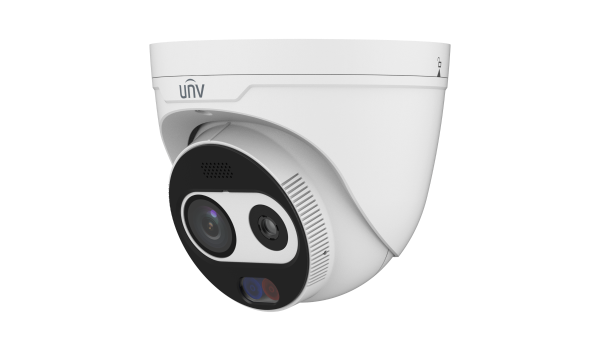
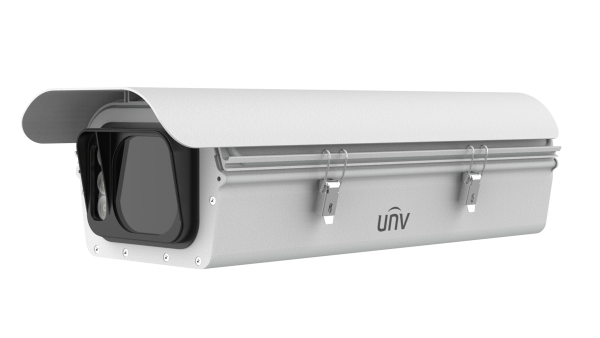
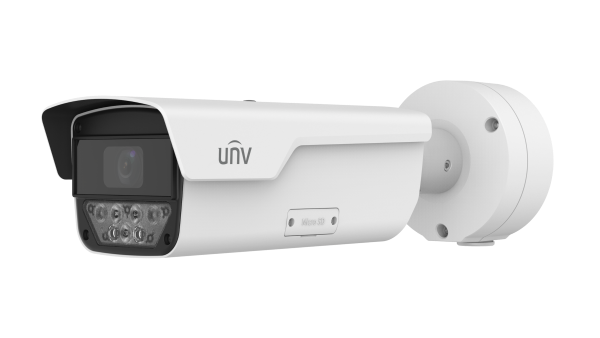
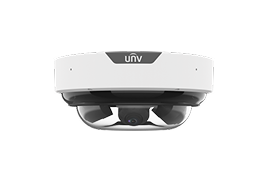
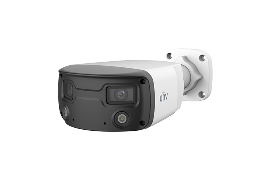
| Supported Device Types | Uniview IPC (Fisheye, Dual-Channel, Single-Channel)/ NVR. |
| Add Device |
| Add Device To Cloud | Supports Binding Devices To Cloud Account By Scanning QR Code On Device Or Manually Entering Register Code. |
| Add Device On The LAN | Allows User To Search For And Add Devices On The LAN One By One Or In Batches. |
| Add Wi-Fi Device | Supports Configuring AP Network For Wi-Fi Devices And Binding To Cloud Account. |
| Batch Add Devices On The LAN To Cloud | Before Delivery, User Can Add Devices On The LAN To Cloud In Batches By Binding Interfaces In Batches. |
| Imported From Other Projects | Allows User To Import Devices From Other Projects. |
| Device Information |
| Device Name | Allows User To Edit Device Name, Which Will Be Synced To Cloud. |
| Channel Name | Allows User To Edit Device Channel Name, Which Will Be Synced To Device Side. |
| Device Serial Number | Displays Device Serial Number (Uneditable). |
| Device Model | Displays Device Model (Uneditable). |
| Access Protocol | Supports SDK3 Protocol Only. |
| Device Password | Allows User To Edit Device Login Password. |
| Device Time | Allows User To Edit Device Time Zone, Time, DST, And Sync Device Time With Mobile Phone Time. |
| Wi-Fi Information | Displays Wi-Fi Information Of Wi-Fi Devices, Including Wi-Fi Name And Signal Strength. |
| Change Channel Add Password |
| Change Channel Add Password | Allows User To Change Password For Adding A Channel To NVR And View Reason For Failed Login. |
| Add Channel |
| Auto Add | Add Channels Under NVR Automatically. |
| Manual Add | Search Channels Under NVR And Add Channels Manually. |
| Import Faces |
| Import Faces | Allows User To Import Face Images To Device Face Libraries. |
| Import Plates |
| Import Plates | Allows User To Import Plate Information To Devices. |
| Cloud Upgrade |
| Cloud Upgrade | Support Cloud Upgrades To NVRs, IPCs Under NVR, And IPCs. |
| Device Diagnosis |
| Export Diagnostic Info | Allows User To Export The Diagnostic Information Of Ipcs, Nvrs, And Ipcs Under Nvr. |
| Device Diagnosis: Test Device Speed | Supports Cloud IPC/ NVR Speed Test. |
| Test Device Speed |
| Test Device Speed: Test Device Speed | Supports Cloud IPC/ NVR Speed Test; Displays Network Latency And Upload Speed. |
| Alarm Output |
| Alarm Output: Alarm Output | IPCs Under NVR And IPCs Support Alarm Output (For Both Local And Cloud Devices). |
| Forgot Device Password |
| Retrieve Password By Scanning QR Code | Supports Retrieving Device Password By Scanning QR Code On Web Page. |
| Retrieve Password By Verification Code | Supports Retrieving Device Password By Sending Verification Code To The Bound Mobile Phone Number Or Email Address. |
| Device Packet Capture |
| Device Packet Capture | Supports Capturing Packets On The Device Side (Entry: Device List And Remote Config Screen). |
| Restart Device |
| Restart Device | Restart Device. |
| Delete Device |
| Delete Device | Delete/ Unbind Device. |
| Device List |
| Device Status | Displays Device Online/ Offline Status, Total Number Of Devices, 4G Signal Strength, And Number Of Online Devices/ IPCs Under NVR. |
| Search Devices | Allows User To Search Devices By Device Name (Supports Fuzzy Matching). |
| Refresh Device Status | Allows User To Pull Down The Device List To Refresh Device Status. |
| Notification |
| Receive Alarm Notifications | Supports Receiving Alarm Notifications With Alarm Snapshots. |
| Alarm Configuration |
| Disarming | Supports Configuring Disarming For IPCs And NVRs. |
| Customize Alarm Sound | Allows User To Upload And Record Alarm Sound.
Supports Editing Alarm Sound Name And Playing And Deleting Alarm Sound. |
| General Detection |
| Motion Detection | Common Motion Detection: Enable/ Disable, Draw Detection Area, Arming, Sensitivity, Alarm Snapshot.
Smart Motion Detection: Enable/ Disable, Draw Detection Area, Arming, Sensitivity, Object Snapshot, Alarm Sound, Alarm Light. |
| Human Body Detection | Enable/ Disable, Draw Detection Area, Arming, Sensitivity, Alarm-Triggered Actions. |
| Audio Detection | Enable/ Disable, Sensitivity. |
| VCA Detection |
| Intrusion Detection | Enable/ Disable, Draw Detection Area, Arming, Sensitivity, Stay Time, Alarm Sound, Alarm Light. |
| Enter Area Detection | Enable/ Disable, Draw Detection Area, Arming, Sensitivity, Object Snapshot, Alarm Sound, Alarm Light. |
| Leave Area Detection | Enable/ Disable, Draw Detection Area, Arming, Sensitivity, Object Snapshot, Alarm Sound, Alarm Light. |
| Cross Line Detection | Enable/ Disable, Draw Detection Area, Arming, Sensitivity, Object Snapshot, Alarm Sound, Alarm Light. |
| Auto Tracking | Enable/ Disable, Detection Time, Continuous Track, Maximum Tracking Time. |
| Network Configuration |
| Network Configuration | Supports Configuring IP Obtain Mode, IP Address, Subnet Mask, Default Gateway. |
| Image |
| Rotate Image | Supports Rotating Image 180 °. |
| WDR | Enable/ Disable. |
| Smart Illumination | Supports White Light, Infrared, Smart Dual-Light, Smart White Light (Varies With Device Capacity). |
| Day/ Night Mode | Auto, Day, Night. |
| OSD | Enable/ Disable; Supports 4 OSD Locations (Upper-Left, Upper-Right, Lower-Left, Lower-Right) And Customizing Text Contents. |
| Video |
| Video: Video Compression | Supports Choosing Video Compression Format (H.264/ H.265) For Main/ Sub Stream. |
| Sound and MIC |
| Audio Input | Enable/ Disable; Allows User To Adjust Audio Input Volume. |
| Audio Output | Allows User To Adjust Audio Output Volume. |
| Alarm Output | Allows User To Adjust Alarm Output Volume. |
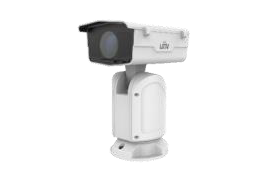
| PTZ |
| PTZ Rectification | Supports Rectifying PTZ Manually Or Automatically. |
| IPC Storage |
| SD Card Capacity | Displays SD Card Status And Capacity. |
| SD Card Configuration | Enable/ Disable Overwrite Storage Policy; Allows User To Choose To Record By Schedule Or Event And Formatting SD Card. |
| NVR Storage |
| Recording Schedule | Allows User To Choose To Record By Schedule Or Event. |
| Overwrite | Enable/ Disable Overwrite Storage Policy. |
| Channel Configuration | Allows User To Choose Channel For Configuration. |
| Storage Medium |
| NVR Storage Medium | Allows User To Format Disks. |
| Wi-Fi |
| Wi-Fi: Wi-Fi Configuration | Supports Connecting Wi-Fi Device To Wi-Fi Network And Switching Device'S Wi-Fi. |
| More |
| EZCloud | Enable/ Disable EZCloud (For Local Devices Only). |
| Indicator | Allows User To Turn On/ Off Device'S Indicator. |
| Restore Defaults | Supports Restoring Device To Defaults Or Factory Defaults. |
| Advanced |
| Advanced | Provides A Portal To Device'S Web Interface For More Device Configurations. |
| Device Location |
| Sync Mobile Phone Location | Supports Syncing Mobile Phone'S GPS Information To IPC. |
| Live View |
| Video Compression | Supports U-Code, H.264, H.265 Video Compression Standard. |
| Play Live View | Supports Single Window And Swiping To Switch Live View Windows. |
| Video Scrambling | Supports Scrambling Videos (For Wi-Fi Devices Only). |
| Two-Way Audio | Supports Starting And Ending Two-Way Audio; Only One Channel Of Two-Way Audio Is Allowed At A Time. |
| Speaker | Supports Playing Audio With Live Video. |
| Loading Progress | Displays The Percentage Of Video Loading Progress. |
| Streaming Info | Displays Current Stream'S Bandwidth, Real-Time Network Occupation (KB/s), And Packet Loss Rate. |
| Network Monitoring | Supports Prompting User When The Network Is Poor Or Streaming Is Congested. |
| Image Parameters | Supports Configuration Of Image Rotation, Brightness, Saturation, Contrast, Sharpness, 2D NR, 3D NR, WDR, Smart Illumination, Day/ Night Mode, And OSD. |
| Live View: Video Quality | Supports High, Medium, Fluent Video Quality (Vary With Device Model). |
| Multi-Window Preview | One-Tap To Preview All Live Videos Of Online Channels Under The Account. |
| Playback |
| SD Card Recoding | Supports Playing Recordings Stored In SD Card. |
| Specify Playback | Allows User To Specify Playback Date And Time Point. |
| Layout | Supports Single Window. |
| Calendar Search | Dates With Recordings Are Marked On The Calendar. |
| Recording Type | Supports 4 Recording Categories: Motion Detection, VCA, Alarm, Normal. |
| Video Quality | Supports High And Fluent Video Quality. |
| Play Control |
| Digital Zoom | Supports Dragging To Zoom In. |
| Local Snapshot | Supports JPEG Images. |
| Local Recording | Allows User To Play, Save, And Delete Recordings (At Least 3 Seconds). |
| Landscape Mode | Supports Full-Screen Display In Landscape Orientation. |
| Corridor Mode | Supports Full-Screen Display In Corridor Mode (By Rotating Image 90 °). |
| Simultaneous Streaming | Supports Streaming Multiple Channels Simultaneously (For Live View). |
| PTZ Control |
| Control Rotation Direction | Supports 4 Rotation Directions (Up, Down, Left, Right). |
| Control Lens | Focus And Zoom. |
| Preset | Allows User To Add, Display, Delete, And Call Presets; Up To 12 Presets Are Allowed. |
| Patrol | Enable/ Disable; Supports Configuring Patrol Time And Preset Pause Time. |
| Alarm Display |
| Alarm Snapshot | Supports Reporting Alarm With Snapshot And Displaying Alarm Snapshot In Alarm Records (Only For Applicable Types Of Alarm). |
| Alarm Recording | Supports Viewing Alarm Recording At The Time Of Alarm Event. |
| Today'S Alarm | Up To 200 Alarms Can Be Searched In Today'S Alarm. |
| Notification Status | Supports Two Status: Unread And Read. |
| Use Device Time Zone |
| Use Device Time Zone | Enabled By Default; Alarms And Recordings Use The Device'S Time. |
| Temperature Unit |
| Temperature Unit | Supports Celsius (°C) And Fahrenheit (°F). |
| Password Protection |
| Password Protection | Supports Setting Whether A Password Is Required To Open The App, Including No Password, Pin, And Pattern. |
| Data Usage |
| Cellular Data Usage | Cellular Data Usage. |
| Wi-Fi Data Usage | Wi-Fi Data Usage. |
| Device Wi-Fi Configuration |
| Wi-Fi Configuration | Supports Wi-Fi Configuration (For Wi-Fi Devices Only). |
| Device Hotspot Configuration |
| Hotspot Configuration | Allows User To Edit Device Hotspot Information. |
| Auto-Pause Video |
| Auto-Pause Video | When Enabled, Video Will Pause Automatically If No Operation Is Performed Within 10 Minutes. |
| Optimize Video Fluency |
| Optimize Video Fluency | When Enabled, Video Is Smoother But May Be Delayed. |
| User Manual |
| User Manual | Allows User To View User Manual. |
| Device Manual |
| Device Manual | Allows User To View Device Manual. |
| Tutorial |
| Tutorial | Allows User To View App Tutorial Video On Device And Me Screen. |
| Customer Service |
| Customer Service | Allows User To View Customer Service Email. |
| About |
| User Experience Program | Sends Logs. |
| Privacy Policy | Allows User To View Privacy Policy. |
| Service Agreement | Allows User To View Service Agreement. |
| Languages | Automatically Switches The Language With The Mobile Phone System; Supports Chinese And English. |
| Open Source Software Licenses | Open Source Software Licenses. |
| OS |
| iPhone/ iPad | iOS 12.0 Or Later. |
| Android | Android 7.0 Or Later. |
| Harmony | HarmonyOS 2.0, 3.0, And 4.0. |